Jelenlegi béta és korábbi verziók. A történeti megjegyzések eredeti nyelvükön maradnak.
SPino 6.1.4-beta.1 (92) — Practice notifications
Enable notifications in Profile for planned practices and events. Optional practice suggestions encourage a return after more than one calendar day away, progress toward the weekly goal near the weekend, and maintaining a weekly practice streak. At most one suggestion per day at 18:00 local time; planned reminders take priority. Saving an alarm offers to enable notifications if needed.
Teljes archivált megjegyzések ↗
SPino 6.1.3 (91) — German and Hungarian
German and Hungarian are now available in the app and main website alongside English, Spanish and Catalan. The selected language is retained and applied to the score reader. Updated app wording reflects stable releases. Refreshed screenshots show all five languages.
Includes the synchronization improvements from 6.1.2, preserving notebook identities, scores, recordings, annotations and practice history.
Teljes archivált megjegyzések ↗
SPino 6.1.2 (90) — Production synchronization update
The owner authorized updating the public Google Play application with the latest synchronization improvements. This build retains the verified beta.3 implementation and changes only the version identity to stable 6.1.2 (90).
Incoming notebook changes refresh the app without a page reload or navigation to Today. The current route and scroll are retained, including Profile status updates. Reader and catalogue caches refresh in place; existing practice, score, editor and recording guards remain. Includes the earlier Drive notebook identification, rename, recovery, local-export and Manage improvements.
Teljes archivált megjegyzések ↗
SPino 6.1.2-beta.3 (89) — Synchronize without restarting
Incoming notebook changes now refresh the companion, catalogue and reader caches in place. The current route and scroll position are retained. Existing practice, recording, score and editing guards remain in effect. Sync status updates also preserve the Profile scroll position.
The owner confirmed that renaming the notebook in the updated beta and reconnecting stable recovered the missing 127 weekly minutes. This release addresses the separate navigation disruption; it does not change the Drive format or record IDs.
Teljes archivált megjegyzések ↗
SPino 6.1.2-beta.2 (88) — Manage synchronization
Manage synchronization now groups the notebook and account, automatic switch, QR and local backup. Recovery options have their own section. Pausing or resuming keeps the window open. Includes the previous Drive history recovery improvements.
Teljes archivált megjegyzések ↗
SPino 6.1.2-beta.1 (87) — Drive notebook recovery
Rename the connected Drive notebook without changing its identity or stored practice. Compare same-name notebooks by saved sessions, practice this week, latest practice date, work count, weekly target and sessions absent from the other listed copies. Multiple choices no longer preselect the first notebook. New QR codes include the exact Drive file identity; older readers can still use the notebook name and logical identity.
First connection and explicit synchronization inventory existing immutable notebook records, recovering changes missing from the incremental feed. Local JSON exports identify beta/stable, app version and timestamp, and explain that installed channels keep separate notebooks. JSON preserves practice history, scores and annotations; audio/video files remain separate.
Teljes archivált megjegyzések ↗
SPino 6.1.1 (86) — stable practice recording release
Stable release: record practice in audio and video, with start and end trimming. Shared videos include opening and closing cards with the logo, spinoapp.com, piece and date, with smooth transitions. Revised and expanded catalogue. Improved Google Drive synchronization. Repertoire integrated into in-person lessons.
Teljes archivált megjegyzések ↗
SPino 6.1.1-beta.9 (85) — recording trim and copy recovery
Trim the beginning and end of audio and video recordings, preview the selection and save it in place of the local take. Titles and piece associations are preserved. Recording sync identifies problematic files and lets you retry while other copies continue.
Teljes archivált megjegyzések ↗
SPino 6.1.1-beta.8 (84) — expanded piano catalogue
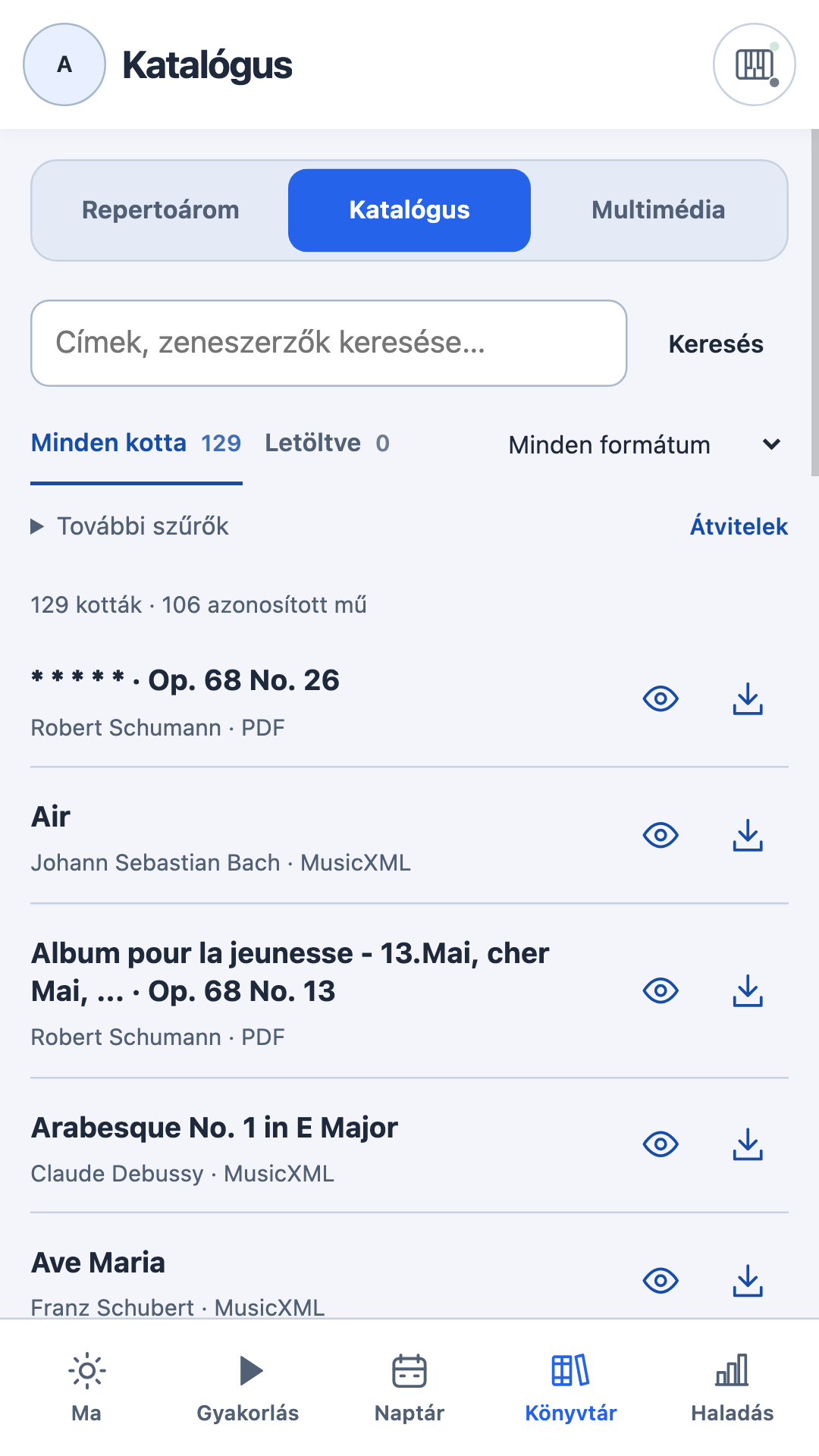
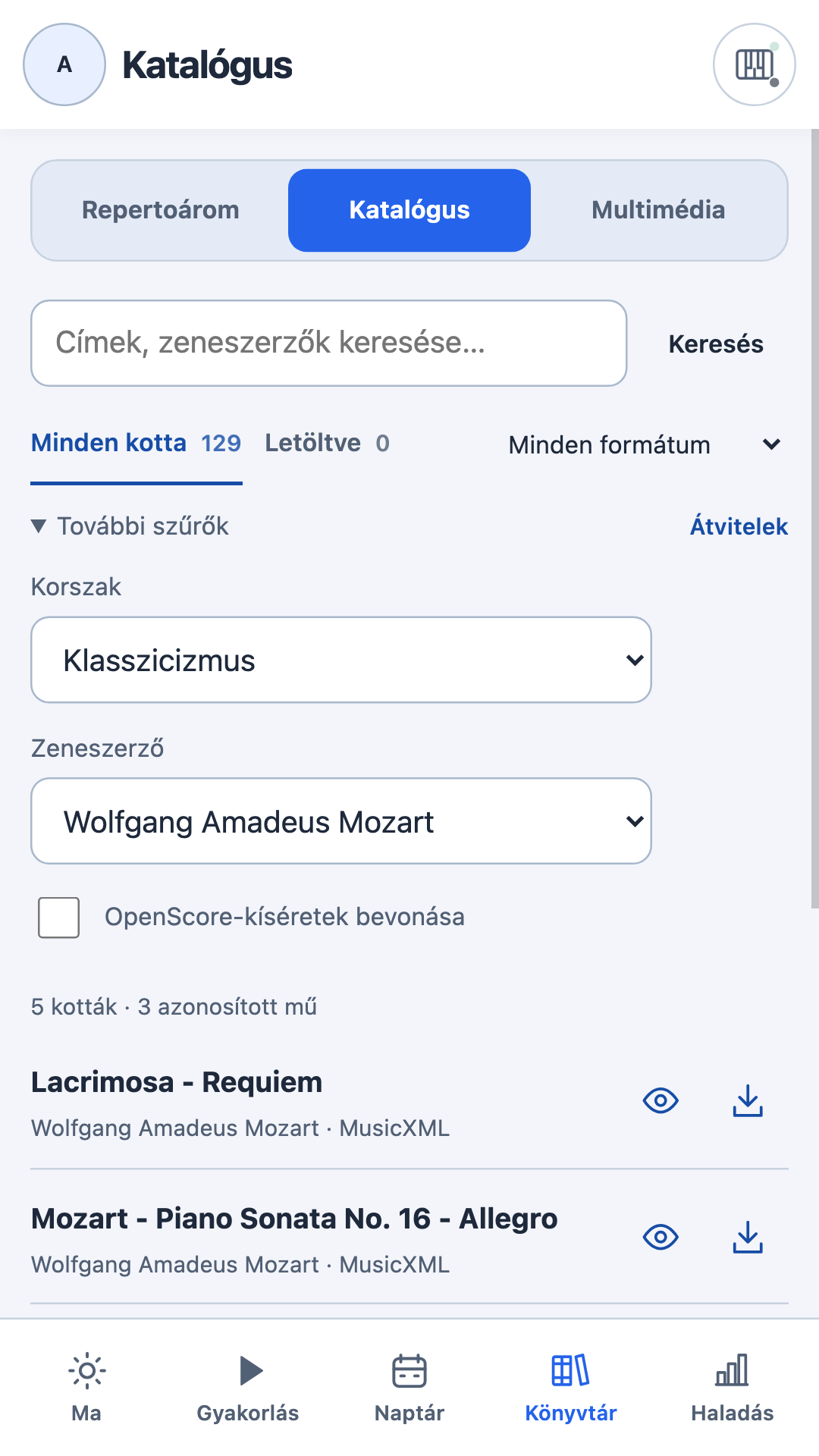
The catalogue now has 106 identified works across 129 PDF and MusicXML/MXL editions. New piano scores by Bach, Satie, Debussy and Albéniz. Search by composer and period, preview a score and download it before adding it to your repertoire. Improved dark-mode selector contrast and removed catalogue-wide download and refresh buttons.
Teljes archivált megjegyzések ↗
SPino 6.1.1-beta.7 (83) — compact catalogue and score previews
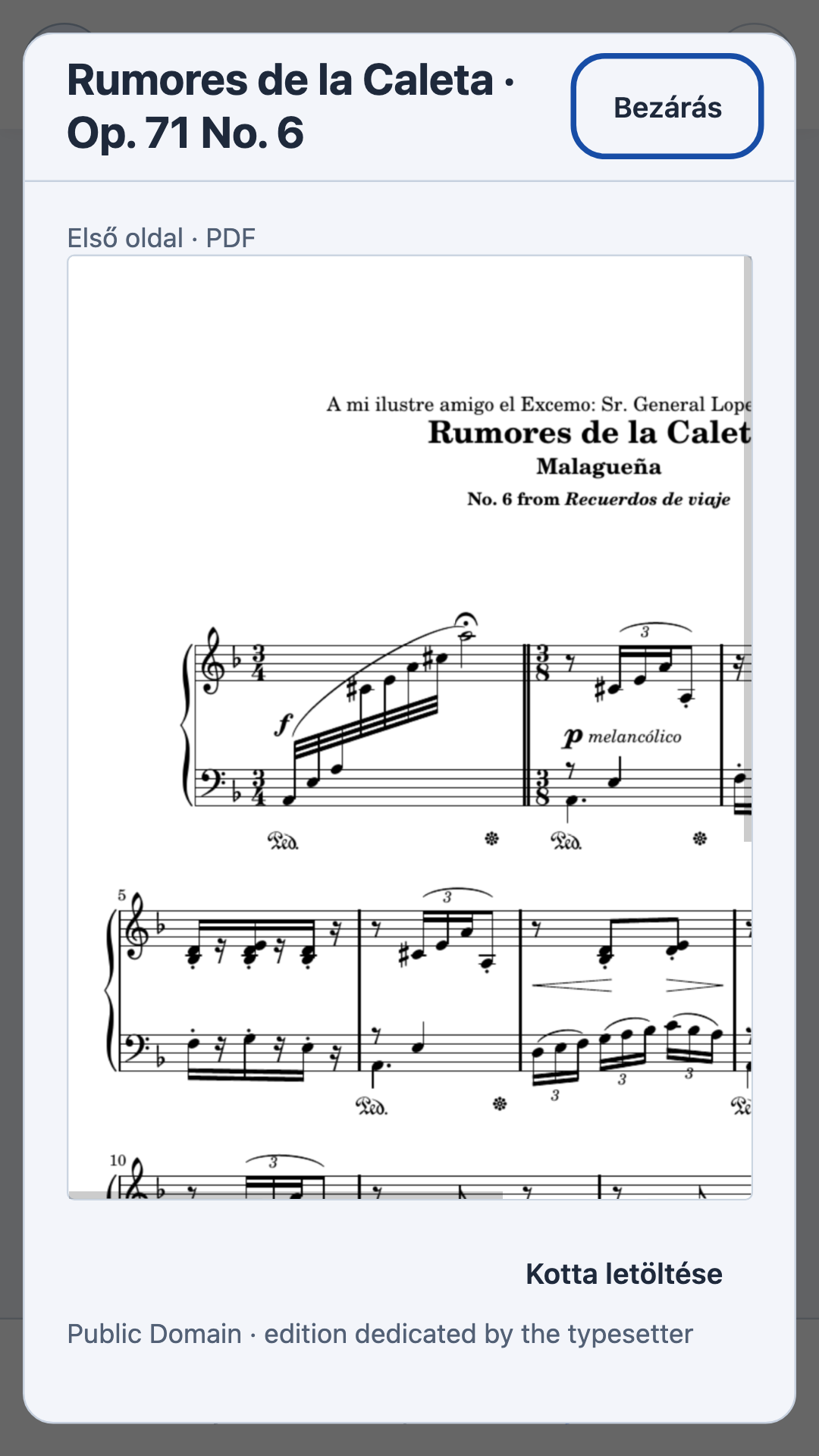
Unified PDF and MusicXML catalogue with search, continuous scrolling and downloaded scores. Compact controls and previews before saving: offline PDF first pages and opening MusicXML measures. Add to repertoire after downloading. Clearer transfers. Your scores, annotations and history are retained.
Teljes archivált megjegyzések ↗
SPino 6.1.1-beta.6 (82) — quieter header and contextual actions
A subtler synchronization indicator beside MIDI opens recovery directly. Record and Quick practice move into their pages. Week/Month and Plan your week share one Calendar toolbar in both views. The Profile outline is repaired. Notebook data, scores, recordings and progress are preserved.
Teljes archivált megjegyzések ↗
SPino 6.1.1-beta.5 (81) — compact offline Hanon
The app is now 44.6 MB, retaining all ten complete new Hanon exercises offline at 720 × 400. Includes both or separate hands, slow playback, note stepping and persistent top Close controls. Original editable Blender sources are preserved for future revisions.
Teljes archivált megjegyzések ↗
SPino 6.1.1-beta.4 (80) — published and verified
Complete new hand animations for Hanon 1–10, with ascent and descent, both or separate hands, moving keys and hand-specific colors. Includes finger preparation, gathering and reopening, slow playback and note-by-note stepping. Scrolling dialogs keep Close visible at the top. Notebook data and progress are retained.
Teljes archivált megjegyzések ↗
SPino 6.1.1-beta.3 (79)
Clearer Hanon 1–10 scores adapt the number of measures to screen width, note duration and notation size. Notes and finger numbers stay inside their measures, with matching clock-cursor alignment in page and scrolling layouts.
Lesson appointments open their linked score directly with practice timing running. Stopping returns to the lesson, and reopening a piece resumes its own accumulated time. Completing the lesson saves measured per-piece times once; additional lesson duration remains unassigned.
Header controls keep their shared row after returning from generated practice, including MIDI, Record, Quick practice and Week/Month. The reader’s column rule is now scoped to its own header.
Teljes archivált megjegyzések ↗
SPino 6.1.1-beta.2 (78)
Animated hand demonstrations now follow Hanon Nos. 1–10 through the complete ascending and descending cycle. One fixed keyboard highlights the left hand in blue and the right hand in orange. Released fingers gather, prepare and reopen independently while the playing finger keeps its contact. Play slowly, advance by note or inspect either hand separately. The warm-up card shows the matching starting position.
Teljes archivált megjegyzések ↗
SPino 6.1.1-beta.1 (77)
Practice seconds now repaint when they change, independently of periodic checkpoints. Unchanged seconds retain their text nodes, and the floating PDF/MusicXML clock uses fixed-width digits.
In PDF and MusicXML, tapping the clock while editing saves pending changes, closes the editing tools and leaves practice paused. Tap the clock again to resume. The separate Done editing action and Back retain their existing save-and-resume behavior. Failed saves leave editing paused for retry.
Teljes archivált megjegyzések ↗
SPino 6.1.0 (76)
Record audio or video for your repertoire, review and share takes, and replay saved recordings offline. Optional Google Drive synchronization keeps the notebook, scores, annotations and saved recording copies available on devices using the same Google account. Unfinished practice stays on its own device; completed history synchronizes. JSON backups include scores and annotations but exclude audio/video files.
Review the last 12 weeks of practice, select weeks and days, and filter detailed time by activity and piece. Saved practice summaries share the same design across Today, Calendar, Progress and piece history. Complete lessons with feedback and recording links. Calendar time controls, repertoire navigation and piece details include the latest reviewed corrections.
Local notebooks, record IDs, scores, annotations and original recordings are preserved. English, Spanish and Catalan, light and dark appearance, MIDI, sight-reading, Hanon, quick practice and the free-practice metronome remain available.
Teljes archivált megjegyzések ↗
SPino 6.1.0-beta.22 (75)
Keep the practice currently open on its own device while completed history, scores and annotations synchronize. A phone's unfinished practice no longer competes with the tablet's empty current-session slot after finishing. Incoming updates preserve the local pending checkpoint; running practice, score screens, editing and recording still defer adoption. Full manual JSON backups retain the pending practice. Existing conflicts limited to the old current-session slot recover after a fresh read; genuine overlapping edits still require review.
Drive now shows its synchronization phase and last successful check, with a Pause synchronization action. Silent authorization and bridge requests have bounded waits. Pausing preserves pending work and cancels the request; late replies cannot replace newer changes. Incremental uploads retry safely after uncertain network responses, retaining their allocated identities. Reopening the app can recover transient failures without resuming an explicit pause.
Recording copies accept missing optional Drive checksum metadata while still verifying the actual bytes and rejecting mismatches or foreign identities. Includes lesson completion, teacher recording links, camera controls, audio animations and Android sharing from beta21. Local notebooks, saved practices, PDFs, annotations and original recordings are retained.
Teljes archivált megjegyzések ↗
SPino 6.1.0-beta.21 (74)
Complete a planned lesson with its actual date and duration, an optional rating, repertoire scores, comments and a next step. Edit completed lesson updates the same result in history. The original plan and the other appointments in a recurring series stay independent. Completed lessons no longer schedule reminders.
Keep teacher demonstrations with the lesson: associate existing saved audio/video or use Record teacher to capture a new take and link it automatically when saved. Play and Share are available from the lesson and its result. Removing an association keeps the recording; unavailable local files retain their references. Existing scores, annotations, notebook progress and original recording files are preserved.
Includes the Silk waves, Orbit and Mixer audio animations, camera controls and Android sharing from beta20. Lesson totals do not invent a per-score time split; the existing saved-practice editor can record an explicit breakdown.
Teljes archivált megjegyzések ↗
SPino 6.1.0-beta.20 (73)
Audio recording now follows your playing with three expressive animations: Silk waves, Orbit and Mixer. Each new take starts with Silk waves. Swipe one finger in any direction to change styles, or tap the style name. Switching keeps the same recorder, microphone stream and elapsed time.
The waves and orbit respond to microphone intensity; the mixer follows its frequency spectrum. The larger canvas uses colors adapted to light and dark appearance. Motion settles during silence and respects reduced-motion preference. The saved audio remains unchanged by the visual style.
Includes the camera framing, zoom/brightness controls, portrait/landscape format, image rotation and Android recording sharing from beta19. Notebook records, scores, annotations, stable IDs and existing audio/video are retained.
Teljes archivált megjegyzések ↗
SPino 6.1.0-beta.19 (72)
The camera starts with the full field of view at 1×. Recording requests Full HD where supported, with a higher video bitrate. Camera settings provide adjustable zoom and fixed image brightness, plus exposure lock on compatible cameras. The preview and saved video use the same framing and brightness.
Choose vertical 9:16 or horizontal 16:9 before recording, and rotate the image in 90° steps. A compact full-screen toolbar and collapsible settings leave more room for the preview. Title and date remain upright in the saved video.
After saving, the viewer stays open with Share. Saved audio and video also have a Share button in Multimedia and playback. Android opens its system sharing chooser with the original file. Supported browsers open their sharing sheet; other browsers download the file. Cancelling preserves the recording and notebook.
Teljes archivált megjegyzések ↗
SPino 6.1.0-beta.18 (71)
Recording review and playback show the player, title and action buttons without the explanatory paragraph about offline playback, Google Drive and JSON exports.
Optional explanations in synchronization, downloads, progress, profile editing and backup export are now behind a keyboard-accessible + Info link. Counts, transfer states, errors, permissions and format compatibility warnings remain visible. Background transfer updates preserve an open explanation and its keyboard focus. Redundant progress commentary is removed. Existing explicit guides and user-entered notes remain unchanged.
Includes the raised title/date caption and independent Allow mobile data for recordings switch from beta17. Open Profile > Backup & sync > Audio and video copies to permit cellular uploads/downloads without changing score-download settings. The choice is saved on each device. Local recordings, notebook records, IDs, scores and annotations are retained.
Teljes archivált megjegyzések ↗
SPino 6.1.0-beta.17 (70)
Allow audio and video copies over mobile data from Profile > Backup & sync > Audio and video copies. The new Allow mobile data for recordings switch remembers its choice on this device and operates independently of score downloads. Before the first explicit choice it retains the existing network preference. Turning it off waits for unmetered Wi-Fi; local recordings remain available offline. Changing permission pauses the active media connection and retries with the new network policy.
New video recordings leave more space below the framed title and date. The bottom inset is 10% of the encoded image height, in both portrait and landscape. Existing videos remain unchanged. Free recordings retain the date-only caption.
Includes the recording controls, compact calendar filters, larger avatar, immediate local practice start and independent-practice synchronization behavior from beta16. Existing notebook records, IDs, PDFs, annotations and recordings are retained.
Teljes archivált megjegyzések ↗
SPino 6.1.0-beta.16 (69)
Record directly from Home or Multimedia without starting a practice session. Use Free recording without a piece, choose one of the horizontal music-stand cards, or use Other pieces to search the repertoire, then choose audio or video. An empty repertoire still permits free recording. The recording mode buttons have equal size and alignment. The recording view shows only capture controls, a live camera preview for video, or a microphone level meter and sound/silence feedback for audio. Video opens a live preview without recording. Select an available device camera before starting, then start, pause, resume or finish the take. Paused time is excluded from the duration. Video frames are normalized locally to portrait (720x1280) or landscape (1280x720) according to device orientation at start, with matching centered preview framing. Rotating the view preserves the current take and its starting format. Stop to review, name and save the take. The suggested title remains until selected, then clears for typing; saving untouched retains the suggestion. Free recordings retain an empty piece association and can copy through the existing notebook-scoped recording sync. Existing recordings, piece IDs and capture from scores are retained.
Practice starts from the saved local notebook without waiting for Drive or requiring Continue locally. Starting practice keeps the existing synchronization setting; incoming changes wait until practice is finished and saved. Multimedia has smaller, uncounted inline audio/video icons, toggleable type filters and a piece filter. Active filters are visible. The header profile-photo circle is slightly larger.
Video includes the original piece title and recording date in a small dark rounded frame with white text and a pale border, positioned inside the lower-left image margin. The date follows the app language. Free takes show only the date. The frame is burned into the saved video and remains visible when shared; playback controls are outside the encoded image. Long titles are shortened visually to fit without changing repertoire or recording metadata.
Independent practices from both devices remain combined during conflict review. The dialog lists retained practices and the exact overlapping values, including a shared plan’s practice link. Selecting Here now retains independent fields in the same record and independently added annotation marks. Catalogue import timestamps no longer create or invalidate sync decisions; older diagnostic-only conflicts can repair automatically. A real change to a reviewed conflicting value still requires a fresh review. Update both Android beta devices before retesting.
Teljes archivált megjegyzések ↗
SPino 6.1.0-beta.15 (68)
Progress pairs a musical weekly streak with this week's audio/video recordings. Tap the rhythm card for a monthly practice calendar and streak details; tap recordings to open Multimedia at the current week. The existing weekly practice and goal rules are preserved.
Multimedia opens with a week. Tap the month/year heading to expand the month and tap again to return; arrows browse the displayed period and the recording list follows. Boundary weeks name both months and years when needed. Only recorded dates receive color: teal audio, coral video and combined mixed dates, with separate per-type count rows. There are no extra filter controls or explanatory paragraphs.
The visual History approved in the companion review is included: local score thumbnails, colored practice icons, prominent existing feedback and whole-card session opening. Today also uses hours/minutes for saved weekly time and its goal. Notebook records, PDFs, annotations and original recording identities remain unchanged by the presentation updates.
Teljes archivált megjegyzések ↗
SPino 6.1.0-beta.14 (67)
Notebook synchronization now sends small changed records and separate score pieces instead of rewriting the complete JSON. Editing a note does not resend its PDF. Verified caches and allocated operation IDs survive interruption/restart; retries do not duplicate the same commit. Quiet checks only fetch Drive changes metadata, without uploading or downloading notebook objects. Full JSON remains available for export, restore and recovery; saved audio/video keeps its separate resumable copy system.
Update both Android devices before syncing again. Existing Drive JSON notebooks migrate automatically after a recovery copy and verified new objects. The original file content/name is retained with an archived connection marker; older clients stop writing it. Interrupted migration resumes, and concurrent old-format edits block stale activation. Stable notebook/record IDs, PDFs, annotations and local progress are preserved in synthetic migration checks. Overlapping edits still require review. Keep the new SPino folder intact in Drive.
Teljes archivált megjegyzések ↗
SPino 6.1.0-beta.13 (66)
Backup & sync → Manage now offers Disconnect Google account even if notebook setup failed or selection was cancelled. Connect Google Drive then lets you configure the account again. Disconnect keeps the local notebook, recordings and remote files; a paused previous file connection and its merge baseline are retained after failed migration. A connected notebook uses the existing disconnect confirmation.
Drive downloads now verify the metadata revision before and after reading content, with bounded retries if it changes. Uploads keep their conditional revision protection. Setup errors distinguish downloading, uploading and finalizing, and are translated into Spanish and Catalan, including the previous persisted conflict message.
This is a candidate correction for the owner's setup failure on both physical devices. Synthetic checks reproduce a metadata/media validator mismatch, but the exact rejected HTTP operation in those devices remains unconfirmed. Local saving, offline use, scores, annotations, JSON copies and recovery remain available.
Teljes archivált megjegyzések ↗
SPino 6.1.0-beta.12 (65)
Backup & sync now shows Google Drive, the connected Google account and notebook explicitly. The old provider-file connection is paused and its connection options are removed. Existing local notebooks, previous cloud files, scores, annotations and merge history are kept when moving to Google Drive. The isolated transfer test is removed.
Use the same Google account on both devices. On the first, connect and select this device’s notebook. On the second, select the existing notebook. Confirm with Connect selected notebook; Cancel closes the selection without moving the notebook. When moving an existing shared connection, matching notebooks retain their identity and combine independent edits.
Saved audio and video recordings are now copied through that notebook’s Google account. Copies retain recording and piece IDs, titles at upload, dates, durations and verified file bytes. Transfers resume after interruption and respect the device’s network preference. Downloaded recordings play offline. Draft recordings and unrelated notebooks are excluded. Deleting a local recording keeps an existing Drive copy and prevents automatic redownload on that device; title changes remain local to each copy. Disconnecting or pausing stops future transfers without deleting local or cloud copies.
Notebook edits upload shortly after saving. Checks for other-device changes run every 30 seconds while SPino is open. Unchanged background checks keep the connection card mounted and preserve its size and controls. Incoming notebook changes and media copies wait for practice/editing to finish.
Local notebook saving, offline practice, JSON export/restore/conversion and local recovery remain available. JSON copies contain the notebook and scores; they do not embed audio/video files.
Teljes archivált megjegyzések ↗
SPino 6.1.0-beta.11 (64)
Fixes a Google Drive notebook connection failing with “Drive did not provide a safe file revision” when opening the shared notebook on another device. Notebook reads and updates now use Drive’s file revision resource, retaining conditional writes that reject simultaneous changes. Existing notebook identities, pending uploads and cloud files are preserved.
Update both devices. On the affected device, open Profile → Backup & sync → Manage and retry the move to Google Drive using the same Google account. Choose the existing notebook when offered. A failed move keeps the previous connection and local notebook; it does not require deleting or recreating the shared file.
Local saving, offline practice, JSON export/restore/conversion and the local recovery copy remain available. Personal recordings remain on the device.
Teljes archivált megjegyzések ↗
SPino 6.1.0-beta.10 (63)
Android beta now connects notebook synchronization directly to your own Google Drive account. Open Profile → Backup & sync → Connect → Connect with Google. Use the current notebook in Drive on the first device, then connect the same account and choose that notebook on the second. Existing file-provider connections offer Move this connection to Google Drive in Manage; their previous files are kept. Moving both devices preserves the notebook identity and combines independent edits.
Your notebook remains saved locally. Practice offline, continue locally after a connection failure, and export or restore JSON copies from the same screen. The local recovery copy remains available after disconnecting. Drive sync includes practice history, repertoire, plans, scores, annotations and shared practice preferences. Theme and network preferences remain on each device; MIDI and notification permissions remain local. Personal recordings are not uploaded by notebook synchronization.
Updates run while SPino is open. Incoming changes wait until practice and editing finish, and overlapping edits require review. Reconnect renews Google permission for the same account. The earlier synthetic recording check remains separate. Existing file-provider and iOS connections remain available.
Teljes archivált megjegyzések ↗
SPino 6.1.0-beta.9 (62)
Fixes the Google Drive transfer check reporting “Google Drive permission was not granted” even after successful consent. The Android bridge now checks the granted scope URI string returned by Google correctly.
Update both devices, open Profile → Google Drive transfer check, and connect the same Google account. Upload the synthetic recording on one device, then find, download, verify and play it on the other. While OAuth remains in testing, the selected accounts must be registered as Google test users. Personal recording synchronization is not enabled.
Teljes archivált megjegyzések ↗
SPino 6.1.0-beta.8 (61)
Fixes the missing Google Drive transfer check in Android beta Profile. The platform check now calls the platform helper correctly, so the test entry is visible and opens the isolated transfer screen. Update both devices, open Profile from the avatar, then select Google Drive transfer check.
Retains beta7 recording-duration and saved-viewer improvements. The Drive check uses only a bundled synthetic recording and your selected Google account; automatic synchronization of personal recordings is not enabled. Google test users must be configured while OAuth remains in testing.
Teljes archivált megjegyzések ↗
SPino 6.1.0-beta.7 (60)
Adds an isolated Android Google Drive transfer check in Profile. Connect your own Google account, upload a synthetic two-minute recording on one device, then find, download and play it on another device using the same account and test notebook code. Uploads retain resumable progress; downloaded bytes must match their SHA-256 checksum. Personal recordings, notebook synchronization, PDFs and annotations are not accessed by this check. Automatic multimedia synchronization and migration are not enabled. Google authorization remains in testing until the developer completes production setup; test accounts must be listed in Google Auth Platform.
Fixes recording playback progress jumping ahead by finalizing missing WebM duration for new and existing takes. Saved recording viewers now offer Delete as a red link and Close, with a pencil to edit the title and a checkmark to save without restarting playback. New takes retain Save/Discard.
Teljes archivált megjegyzések ↗
SPino 6.1.0-beta.6 (59)
Fixes a valid notebook being rejected as invalid or incompatible during synchronization or backup restore when its reader settings use Catalan. The reader supported Catalan, but the backup validator used an older language list. Validation now uses the same supported-language registry as the reader.
Update both devices, then choose Try again on the existing cloud connection. Notebook format 1 and organized manual backups remain supported; stable record IDs, history, score files and annotations are preserved. Unknown languages, future formats and malformed data still fail validation before any incoming data is applied.
Device linking now offers only Scan a notebook QR and Select an existing cloud file. Manual connection-code entry remains available from the scanner as a camera fallback. The connected notebook's QR moves to Backup & sync → Manage → Show my notebook QR. An existing cloud connection, including a paused one, must be disconnected explicitly before joining, creating or selecting a different notebook; regranting access to the same notebook remains available for provider recovery. Local/cloud files are retained on disconnect. Connection setup errors stay visible in Manage instead of being lost behind the independent-backup state.
Catalan cloud settings also translate the update-failed heading and automatic-update explanation that previously appeared in English.
Teljes archivált megjegyzések ↗
SPino 6.1.0-beta.5 (58)
Black piano keys retain their dark material in light mode. The keyboard previously inherited the white background used for general controls. Idle keys, pressed black keys, red note guides and decorative partial keys now keep their own colours in both themes.
The same correction applies to the miniature scale keyboard. Key positions, MIDI mapping, range, zoom and practice results are preserved. Website screenshots have been refreshed in English, Spanish and Catalan to show the corrected keyboard.
Teljes archivált megjegyzések ↗
SPino 6.1.0-beta.4 (57)
Double-tap the six-dot grip to minimize the floating practice bar to just the grip and clock. Double-tap again to restore all controls. This works in PDF and MusicXML practice; dragging still moves the bar, and Enter or Space on the focused grip also toggles it.
The expanded bar is 10 px shorter. Narrow phones retain a visible grip and a single row of controls. Minimize and restore preserve practice timing and editing/recording state; the second tap cannot accidentally activate the clock as the controls change size.
Teljes archivált megjegyzések ↗
SPino 6.1.0-beta.3 (56)
Progress shows longer durations in hours and minutes: 139 min becomes 2 hr 19 min, 90 min becomes 1 hr 30 min, and 120 min becomes 2 hr. Durations below one hour remain in minutes.
The format covers weekly practice time and goals, chart totals and labels, detailed values, repertoire and scale totals, and Progress history. Longer chart labels have space reserved beside the plot. Whole-minute rounding, recorded time, filters, goal percentages and notebook data are preserved.
Teljes archivált megjegyzések ↗
SPino 6.1.0-beta.2 (55)
The music stand uses equal-size cards in one horizontal row. The selected piece has a colored highlight and checkmark, with its full title below. Other pieces combines whole-repertoire search and catalogue access, preserving practice settings and planned duration.
Android recording now declares the audio-settings permission required by the WebView. Pending capture survives temporary hiding by permission dialogs and begins when the app is visible. Errors appear inside the recording panel. Audio/video capture, review and final local Save are verified in the emulator; PDF recording is verified in a responsive browser. Physical-device PDF recording acceptance remains open. Recordings stay local to this installation.
Teljes archivált megjegyzések ↗
SPino 6.1.0-beta.1 (54)
Record audio or video while practising a repertoire piece. Review, name and save each take, then play it from the piece or Library → Multimedia. Recordings stay on the current installation; notebook backup and synchronization do not include the media. Cloud copies and sharing are deferred.
The floating score Record button becomes Stop during capture. The capture panel stays hidden while reading the score; stopping opens the review. Pausing practice keeps the score visible. Edit replaces the pencil with a checkmark in the same position. The paused clock remains visible and disabled while editing, with the toolbar anchored in place.
Progress includes a 12-week practice-time chart and detailed date ranges with combinable practice-type and repertoire-piece filters. Comparison uses the preceding equal-length period; exact values remain accessible.
Teljes archivált megjegyzések ↗
SPino 6.0.0 (53)
The owner-authorized new stable Android build includes local synchronization recovery and the final Calendar/Library header correction. Calendar and Library now share the same 68 px primary bar as the other main routes. Profile, title and MIDI remain aligned when changing screens; Library tabs occupy an independent sticky row below it. Calendar retains its inline Week/Month selector. Notebook IDs, progress, PDFs and annotations are preserved.
Teljes archivált megjegyzések ↗
SPino 6.0.0-beta.13 (52)
Owner-requested Android beta publication for testing, October 15, 2026. Synchronization failures now offer Continue locally from the pre-practice check, cloud overview and Manage connection. The pause persists across restart and retains notebook IDs, local edits, PDFs, annotations, cloud file and merge history. A stalled provider can be left immediately without allowing a late response to replace local work. Quick practice enters once after choosing local mode.
Android distinguishes missing provider, revoked permission and unavailable file from transient read failures. JavaScript also recognizes the older generic No content provider diagnostic. Permanent access failures stop automatic retries and expose selection of the same notebook file. Identity checking and baseline retention preserve local deletions and independent changes after reconnect; overlapping edits still require review. No notebook schema or IDs change.
Teljes archivált megjegyzések ↗
SPino 6.0.0-beta.12 (51)
Owner-requested Android beta and Git publication, 2026-10-15. Saved Calendar practices now use activity-colored circles with the shared activity icon, actual minutes, optional mood and partial status. Each day keeps one horizontally scrollable row without a visible scrollbar; Week Add stays fixed. Day separators are subtle, month headings use “October 2026” / “Octubre 2026”, and Week/Month stays beside Calendar on one header row, including 320px phones. Full titles, results and feedback remain available through the existing detail route. No notebook schema or record IDs change.
Application changes since published beta 11 are confined to agenda.js, app.css, app.js, browse-surfaces.css, locale-ca.js, views.js and the shared icons.js extraction. This publication also records the previously shipped app source and corresponding tests that had remained uncommitted, so Git reproduces the current beta. Unrelated review artifacts and other local work are preserved.
Teljes archivált megjegyzések ↗
SPino 6.0.0-beta.11 (50)
Owner-requested Android beta publication, 2026-10-15. Saved Calendar sessions use compact, wrapping pills with completion/partial status, title, actual minutes and optional mood. Tap for the full session detail. Weekly days and monthly selected-day results share this treatment; planned practices and events retain their actions. No notebook schema or stable record IDs change. The four changed app inputs since beta 10 are agenda.js, app.css, app.js and browse-surfaces.css; other previously uncommitted work is preserved.
Production Vite build, Capacitor synchronization and Android debug build succeed with installed Node 22 and Temurin Java 21. APK signature verifies. All 259 production web files match the APK by SHA-256; the two Capacitor-generated Cordova files match the synchronized bundle (261 total). Source/build input hashes and artifact checksums accompany this release.
Teljes archivált megjegyzések ↗
SPino 6.0.0-beta.10 (49)
Owner-requested Android beta publication, 2026-10-15. Navigation screens distinguish flat context from softly raised content cards. The owner-liked light treatment is retained; dark mode uses a deeper background, lighter cards, a subtle light edge/top highlight and a stronger short shadow. Existing activity accents, merged weekly summary, selector geometry, notebook records and practice/score controls are preserved. See D-039 and the responsive evidence in docs/quality-review/captures/themes/2026-10-15-dark-depth/.
Android debug beta builds successfully with the installed Temurin Java 21. The APK signature verifies. All 259 production web files match the package by SHA-256; the two additional Capacitor-generated Cordova files match the synchronized bundle (261 total). Artifact and build-input hashes are recorded alongside this release. Existing uncommitted application/review work remains preserved; publication scope contains only website/downloads, its verification and release evidence.
Teljes archivált megjegyzések ↗
SPino 6.0.0-beta.9 (48)
Owner-requested beta publication, 2026-10-14. Quick practice now stays beside the Practice title on phones. Calendar Week/Month and Progress Activity/Repertoire/Technique share the same tinted selector track, transparent inactive choices, blue selected state, typography and corners. Calendar labels remain complete; the quick-action label may wrap inside its button at 320px while the action stays beside the title. Existing practice/score controls and notebook data contracts are preserved.
Android debug beta and unsigned iOS Simulator builds succeed; their 261 bundled web files match by SHA-256. iOS is a Mac/Xcode Simulator download. Android replacement installation preserves notebook data; version 48/beta.9 and foreground MainActivity confirmed. Artifact and build-input hashes are recorded alongside this release. Publication scope contains website/downloads and release evidence; existing uncommitted application/review work remains preserved.
Teljes archivált megjegyzések ↗
SPino 6.0.0-beta.8 (47)
Owner-requested beta publication for device review, 2026-10-14. Practice entry, Calendar and Library now share the activity palette: blue reading, purple technique, gold repertoire and teal free practice. Calendar weekly headers/current-day controls and activity cards receive matching accents. Repertoire retains the accepted flat table, with colored headings/counts and stand controls; catalogue search, selected tabs and cards receive the same treatment. Preparation, active exercise/session controls and score viewers retain their existing scope. Beta 7's unified weekly card and earlier features remain included.
Android debug beta and unsigned iOS Simulator builds succeed; their 261 bundled web files match by SHA-256. iOS is a Mac/Xcode Simulator download. Android replacement-installed without clearing notebook data; version 47/beta.8 and foreground MainActivity confirmed. Artifact/source hashes are recorded alongside the release. Publication contains website/downloads and release evidence; existing uncommitted source and review work are preserved.
Teljes archivált megjegyzések ↗
SPino 6.0.0-beta.7 (46)
Owner-requested website beta publication, 2026-10-14. Today now starts with one weekly card combining saved minutes, optional goal and the calendar, including colored daily bars and compact copy. Navigation screens use the approved blue/teal direction with soft card backgrounds, prominent metrics and colored profile icons. Practice routes, preparation, active sessions, score viewers and catalogue selection from preparation retain their previous styling. Beta 6 features remain included; recordings remain a proposal.
Android debug beta and unsigned iOS Simulator builds succeed; 261 bundled web files match by SHA-256. iOS is a Mac/Xcode Simulator download, not an IPA or TestFlight release. Android replacement-installed without clearing data; beta.7/build46 and foreground MainActivity confirmed. Artifact and source-input hashes are recorded alongside this release. Publication scope is website/downloads and release evidence; uncommitted app work remains preserved.
Teljes archivált megjegyzések ↗
SPino 6.0.0-beta.6 (45)
Owner-requested website beta publication, 2026-10-14. Includes recurring events with optional end date, return Home after practice, prominent weekly activity/goal, repertoire stand shortcuts and library search, per-practice warm-up selection, fullscreen free-practice metronome, completed-practice block/time/score editing, and Activity/Repertoire/Technique progress sections. Repertoire recordings remain a proposal and are not available in this release. Existing workspace sync diagnostics and score UI fixes are retained.
Android debug beta and unsigned iOS Simulator app built successfully. All 261 bundled web files match by SHA-256. iOS download requires Mac/Xcode Simulator and is not an iPhone IPA or TestFlight release. Android replacement installation on the existing emulator preserves storage; version 45/beta.6 and foreground MainActivity confirmed. This is not physical-device acceptance of cloud providers, MIDI or PDF timing.
Teljes archivált megjegyzések ↗
SPino 6.0.0-beta.5 (44)
Owner-requested beta publication, 2026-10-14. Score practice now opens its PDF/MusicXML viewer automatically when the repertoire block becomes current, with one Start/Continue action in the overview. Configured warm-ups remain respected. The floating bar uses the accepted subtle raised circular timer and keeps Edit/Finish visible. Edit pauses automatically; Done editing/Back resume. Finish saves pending changes before feedback and remains in paused editing if a write fails. The visible-panel PDF Back defect is reproduced and corrected (D-037/D-038).
The package also contains the previously queued light-appearance contrast repairs and shared cloud contention/base-tracking fixes from this workspace, plus the earlier committed tablet warm-up toolbar correction. Stable record IDs, notebook schema, original PDFs and annotation persistence contracts are retained.
Teljes archivált megjegyzések ↗
SPino 6.0.0-beta.4 (43)
The owner reports that stable and beta apps on the same tablet select a Drive file but remain waiting or fail to apply a reviewed cloud choice. Two reproducible source defects are corrected:
- Incoming sync used any form in the document as a blocker. Forms retained in closed dialogs therefore blocked adoption indefinitely. Only visible editing forms and open dialogs now block adoption; non-editing library search does not. Pending practices still require finishing/saving to protect progress, and the waiting message explains the real blocker rather than implying a pause is sufficient.
- A cloud/local conflict decision could be lost while incoming data was deferred, reopening the same conflict. The reviewed preference and snapshot hash are retained across eligibility/apply deferral. Resolution is applied once safe; changed local/remote data require fresh review. A reviewed merge is not written remotely while local adoption is blocked. Recovery, stable IDs and compare-and-swap protection remain intact.
Teljes archivált megjegyzések ↗
SPino 6.0.0-beta.3 (42)
Profile now offers Connect another device: show the connected notebook's QR, scan it with the new device's camera, or enter the connection code. The QR contains a notebook UUID and filename, never cloud credentials, local permission bookmarks, scores or user account tokens. It identifies a notebook; the new device still grants its own access by selecting the matching file in Google Drive/iCloud. Android and iOS native pickers check the identity before replacing the current destination. Automatic cloud synchronization keeps its existing JSON data format and merge/recovery behavior. Legacy shared files receive additive identity metadata with a compare-and-swap write; no record IDs or notebook schema versions change.
Manual exports offer compatible JSON format 1 and organized JSON format 2. The organized copy keeps notebook state, repertoire, scores, annotations and score views in separate sections in one portable file. Original asset and annotation IDs, score bytes, musical titles and user-entered text are retained. No external directory is required. Format 2 requires beta 3 or later; explicit acknowledgement explains that older apps cannot open that new copy. Format 1 remains the default. Convert a backup writes a separate output file in either direction, preserving the source and local notebook. Restoration recognizes both formats, previews annotation counts and conversion, and requires the existing replacement confirmation before writing. Unknown future formats are refused with an update message; no speculative migration or destructive in-place conversion is attempted.
Teljes archivált megjegyzések ↗
SPino 6.0.0-beta.2 (41)
Owner-requested beta practice adjustments, 2026-10-12. Stable remains 5.2.3 (35).
- A fixed header keeps Profile at the top left, the page title and library/calendar/quick-practice controls in the middle, and MIDI at the right. The page content scrolls independently. Header content has a 68 px minimum height in both orientations, in addition to device safe-area padding for notches and the home indicator. Existing tablet/landscape side navigation stays in place; phone bottom navigation has five destinations. Immersive generated practice and score readers cover/hide the app chrome. Light-mode MIDI uses a pale button and legible neutral/green strokes.
- New practices start with the timer running. Recovered sessions remain paused so closed-app time is not silently counted. Warm-up explanations and explicit pauses release the screen-awake policy. Opening the generated reader preserves seconds already counted.
- Done editing resumes PDF practice only after annotations and view changes have saved. A normal pause remains distinct from editing, permits finishing, and releases the native screen-awake lock. Save failures keep the practice paused.
- Starting practice checks configured synchronization and offers a direct route to conflicts or connection management. A new incoming notebook is adopted before practice starts; the reloaded screen must be reviewed before starting again.
- Configured, enabled cloud destinations automatically save changes across all screens, including practice. Scheduling is bounded rather than repeatedly postponed by practice checkpoints. Incoming changes are deferred while practice or editing is active; revisions, recovery snapshots and compare-and-swap writes remain in place. No cloud account or destination is connected without user selection.
- Feedback includes editable practiced minutes. Original measured duration is retained in recordedElapsedMs; activity totals are adjusted consistently. IDs, notes, measurements and musical material are preserved.
- Short MIDI press when disconnected refreshes input ports and attempts the most recently remembered Android BLE instrument; holding opens MIDI settings. Connected short presses open settings. Readers save edits and close safely before navigating. iOS refreshes Core MIDI ports and uses Apple's Bluetooth panel if inputs remain unavailable; silent reconnection of an unavailable BLE instrument is controlled by the system, not an Android address.
Teljes archivált megjegyzések ↗
SPino 6.0.0-beta.1 (40)
- Custom iOS Capacitor bridge using Apple Core MIDI: input discovery/hot-plug, MIDI note and pedal events, running status and fragmented packets, and the Apple Bluetooth MIDI connection panel. Physical USB/BLE acceptance is open.
- Official Capacitor local notifications on iOS, with persistent OS scheduling, explicit permission requests, ownership-safe updates, stable reminder IDs, and a conservative pending-notification limit. Android's native alarms and boot/package-update restoration were reviewed. Closed-app delivery acceptance is tracked below.
- Light, dark and device-synchronized themes from Profile. Existing notebooks retain dark; new notebooks default to system. The notebook format and record IDs are unchanged.
- Rate app and native sharing actions. iOS requests Apple's in-app review; display is controlled by Apple. Android opens the stable Play listing. Sharing includes only the public app URL.
- Initial six-screen walkthrough with Skip, Back, Next and Finish; replay from Profile, device-local completion and restoration of the original screen.
- Warm-up guide focuses its introductory heading and resets the dialog/content scroll to the start.
- Includes previously selected iOS date/time, landscape safe-area and unrestricted network-type fixes.
Teljes archivált megjegyzések ↗
SPino 5.2.7
- Print downloaded scores directly from Repertoire and Catalogue using compact printer icons.
- Opens system printing immediately, without an app-owned preview.
- Smaller printing controls in PDF/MusicXML editing; retains annotations, original PDF formats and full-work A4 XML pagination.
Teljes archivált megjegyzések ↗
SPino 5.2.6
- Print complete PDF scores with all annotations, preserving each page's format and rotation.
- Print complete MusicXML works on A4 portrait pages, including added fingering independently of screen zoom or the open excerpt.
- Preview output before printing; Android uses the system print service and its Save as PDF option.
- Preserves original scores, notebook history and annotation IDs. Includes the landscape keyboard from 5.2.5.
Teljes archivált megjegyzések ↗
SPino 5.2.5
- Taller on-screen keyboard in phone landscape, with pause and tools on the right and points/statistics on the left.
- Session and Feedback aligned at the top; timed practice retains tempo controls.
- Moving the keyboard into low/high registers switches generated mobile exercises to bass/treble clef while preserving accumulated results.
- Includes the Catalan interface and premium keyboard from the previous test version.
Teljes archivált megjegyzések ↗
SPino 5.2.4
- Catalan interface, selectable in Profile and retained across sessions, including practice and score controls.
- Piano-style keyboard: subtle ivory bevels, textured black keys, red felt and visible neutral key depression.
- Clearer octave labels with more bottom spacing. Side case cheeks appear only at the physical A0 and C8 endpoints, not cropped window edges.
- Preserves the 88-key layout, touch/zoom behavior, notebook history, scores and annotations.
- Includes quick-practice points, personal records and the shared finish/continue-later choice from the latest test build.
Teljes archivált megjegyzések ↗
SPino 5.2.3
Start quick practice in one tap: on-screen piano, no tempo, one hand and randomized clef and keyboard position. Untimed reading now uses several staff systems when space allows, with a smooth next-note guide. Existing sessions and profile defaults are preserved. Includes the repertoire, routine and progress improvements from 5.2.2.
Teljes archivált megjegyzések ↗
SPino 5.2.2
Simplified repertoire with a music stand and Library tabs. Dedicated routine builder with optional warm-up, editable block order and durations, and calendar scheduling from saved routines. New Progress navigation with weekly streaks and four-week goal comparisons. Profile now shows the app version, credits and archived release notes.
Teljes archivált megjegyzések ↗
SPino 5.2.1
Clearer practice controls with integrated timers, an audiovisual metronome with favorite tempos, improved PDF annotations, and MusicXML fingering with color, size and editable zoom. Refined mobile layouts and a new startup spinner.
Teljes archivált megjegyzések ↗
SPino 5.2.0
- Refined practice controls with integrated play/pause timers and cleaner mobile layouts.
- Dedicated free-practice workspace with audio/visual metronome, volume and tempo controls, and favorite tempos.
- Improved PDF annotation tools, sizing, moving/resizing simple marks and page-section alignment.
- Clearer MusicXML practice controls, editable zoom and note-linked fingering with color and size options.
- New startup spinner.
Teljes archivált megjegyzések ↗
SPino 5.1.1
New in SPino 6.1: • Record audio and video, replay offline and share takes. • Optional notebook synchronization and recording copies with your own Google Drive. • 12-week chart and practice-time filters by activity and piece. • Completed lessons with notes and recording links. • Improved calendar, repertoire and saved-practice summaries. • English, Spanish and Catalan.
Teljes archivált megjegyzések ↗
SPino 5.1.0
Novedades de SPino 6.1: • Grabación de audio y vídeo, reproducción sin conexión y compartir tomas. • Sincronización opcional del cuaderno y copias de grabaciones con tu Google Drive. • Gráfica de 12 semanas y filtros de tiempo por actividad y obra. • Clases completadas con notas y enlaces a grabaciones. • Mejoras en calendario, repertorio y resúmenes de práctica. • Español, inglés y catalán.
Teljes archivált megjegyzések ↗
SPino 5.0.0
First SPino notebook candidate: planning, practice history, repertoire and local scores. Detailed release notes were not archived.
Teljes archivált megjegyzések ↗
SPino 4.0
Earlier application version. Detailed release notes were not archived.
Teljes archivált megjegyzések ↗
 SPino
SPino